Bodyweight entries
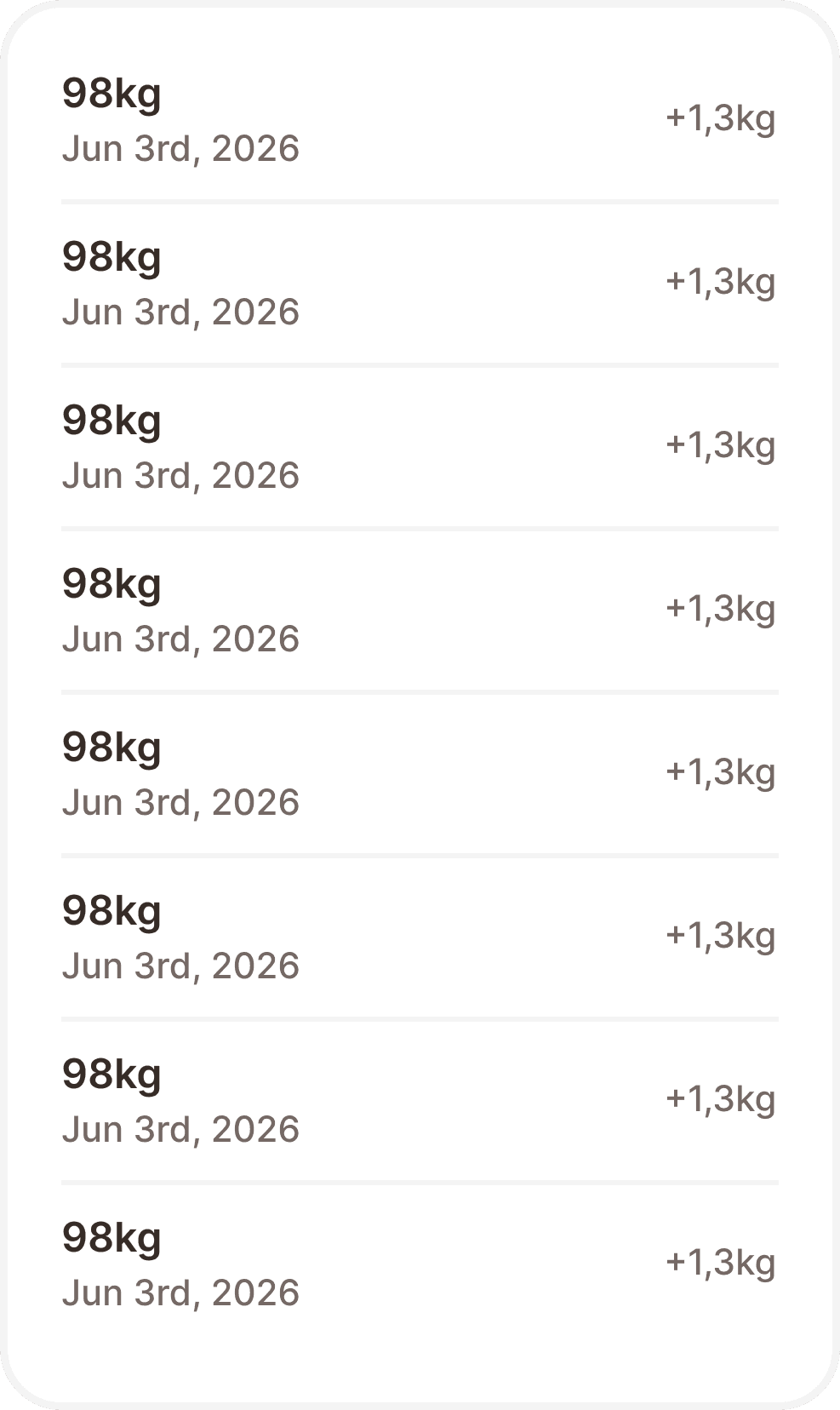
The bodyweight entries component displays a chronological list of bodyweight records logged by the user. It is purely informational and has no interactive behaviour. It is composed of two elements: the entries container (bw-entries) which wraps the list, and the entry cell (bw-entry-cell) which represents a single record row.
When to use
Use the bodyweight entries component to display the history of a user's bodyweight logs.
Don't use this component to display other types of logged metrics. Use a dedicated stats or history component instead.
Structure
Entries container
A rounded card (responsive/layout/radius/2xl) with a white background, wrapping a vertical list of entry cells. Width is fixed at 329px. Padding is responsive/layout/padding/2xl on all sides. Rows are spaced with a gap of responsive/layout/padding/md.
Entry cell
Each cell displays one bodyweight record in a horizontal row. It is separated from the row below it by a bottom border (broz-borders/subtler), except for the last cell in the list which has no separator.
The cell contains three elements:
Weight value — the logged weight (e.g. "98kg"), in
text/content/body/emphasis, colouredbroz-content/neutral/primary. Truncates with ellipsis if needed.Date — the date of the entry (e.g. "Jun 3rd, 2026"), in
text/content/note/accent, colouredbroz-content/neutral/tertiary. Truncates with ellipsis if needed.Delta — the change relative to the previous entry (e.g. "+1,3kg" or "−1,3kg"), in
text/content/note/accent, colouredbroz-content/neutral/tertiary. Only shown when a previous entry exists to compare against.
Interaction
The component is non interactive and display only. Neither the container nor the individual cells respond to taps or trigger any navigation.
Placement
The bodyweight entries component is used on the bodyweight tracking screen. It always displays entries in reverse chronological order (most recent first).
Accessibility
The container should carry an accessible label such as "Bodyweight history".
Each cell should be announced as a single unit. A descriptive label combining value, date, and delta should be provided, for example: "98 kg on June 3rd 2026, up 1.3 kg from previous entry."
When no delta is present, the label should omit the comparison entirely: "98 kg on June 3rd 2026."
The component must not be focusable or included in the interactive tab order since it is display only.
Content
Weight values and dates are always user generated. The delta is calculated by the app and always includes a sign ("+" or "−"). Comma is used as the decimal separator (e.g. "1,3kg").
Tokens
Element | Token |
|---|---|
Container background |
|
Container border |
|
Container corner radius |
|
Container padding |
|
Row gap |
|
Cell bottom border |
|
Cell bottom border width |
|
Cell bottom padding |
|
Weight value |
|
Date |
|
Delta |
|