Foundations
Foundations are the fundamental design decisions that underpin every component and screen in Muba. They define the visual language of the product, from the type scale that ensures readability mid-workout, to the color system that maintains contrast under harsh gym lighting, to the spacing scale that keeps layouts consistent and scannable.
Every foundation is documented with its values, usage rules, and accessibility constraints. Changes at this level cascade across the entire system, so they are treated with the highest level of rigor.
Logos
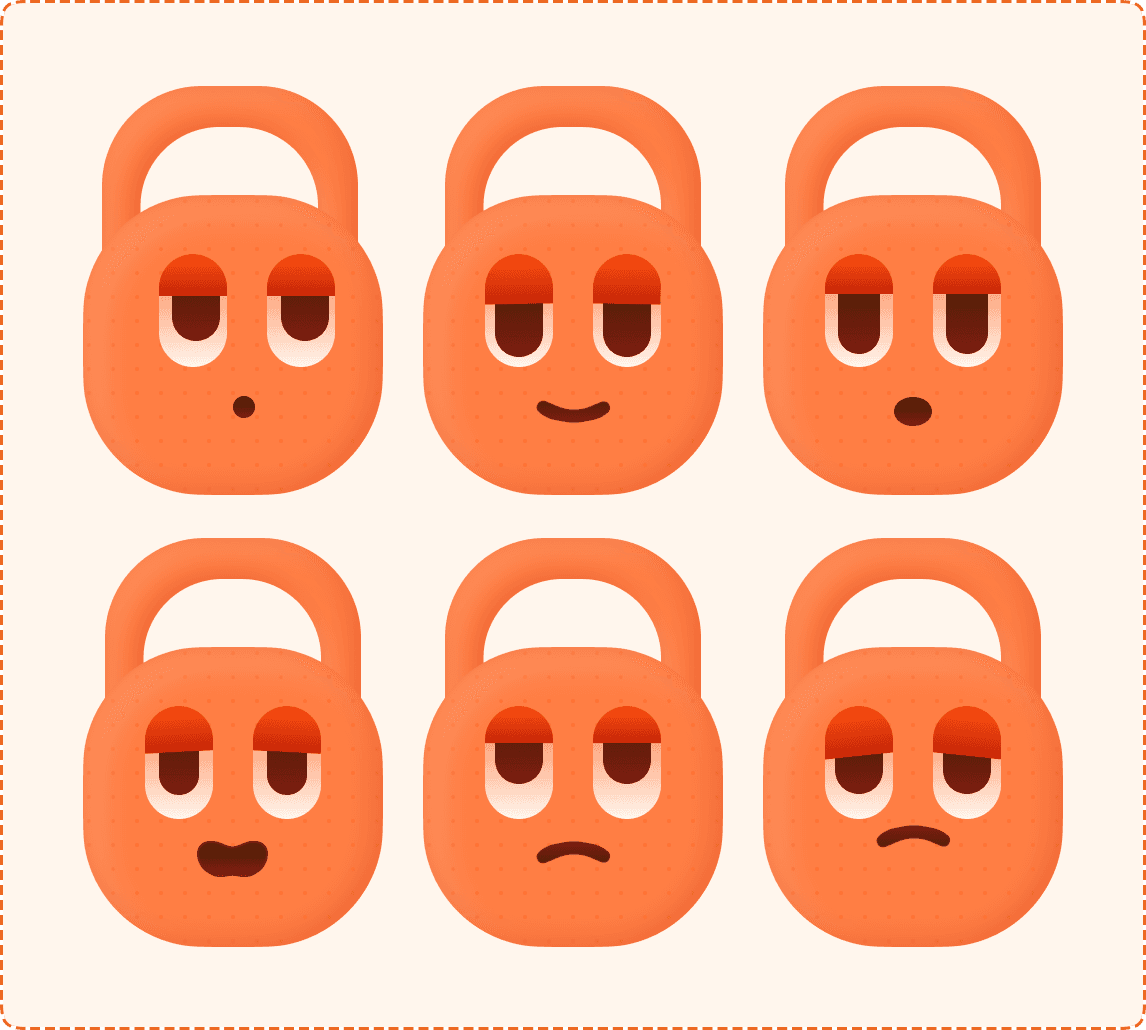
The Muba brand identity is built around Bro, a 3D kettlebell character with an expressive face. Bro is not just a logo. He is the personality of the app, appearing as the app icon, mascot, loading indicator, achievement badge, and emotional feedback element throughout the experience.
This page defines the approved logo assets, their variants, usage rules, and restrictions. Treating the logo with care builds brand recognition and trust. Every appearance of the logo should feel intentional, consistent, and unmistakably Muba.

Don'ts
Don't stretch, squeeze, or distort the logo in any direction.
Don't change Bro's colors, expression, or proportions outside the defined variants.
Don't place the logo on busy backgrounds without sufficient contrast. If the background is complex, use a solid background version or add a subtle backdrop.
Don't add effects like drop shadows, outer glows, strokes, or gradients on top of the rendered assets. They already have baked in lighting.
Don't rearrange elements (e.g., placing the wordmark above the icon when the approved layout is horizontal).
Don't use the mascot expressions out of context. Happy Bro should not appear on an error screen. Sad Bro should not appear on a success screen.
Don't animate the 3D rendered assets. If animation is needed, create dedicated motion assets rather than transforming the static renders.
Colors
Color in Muba serves two critical functions: creating a strong visual identity that stands out in a crowded fitness app market, and ensuring accessibility and readability in the challenging conditions of a gym environment (bright overhead lighting, sweaty screens, quick glances between sets).
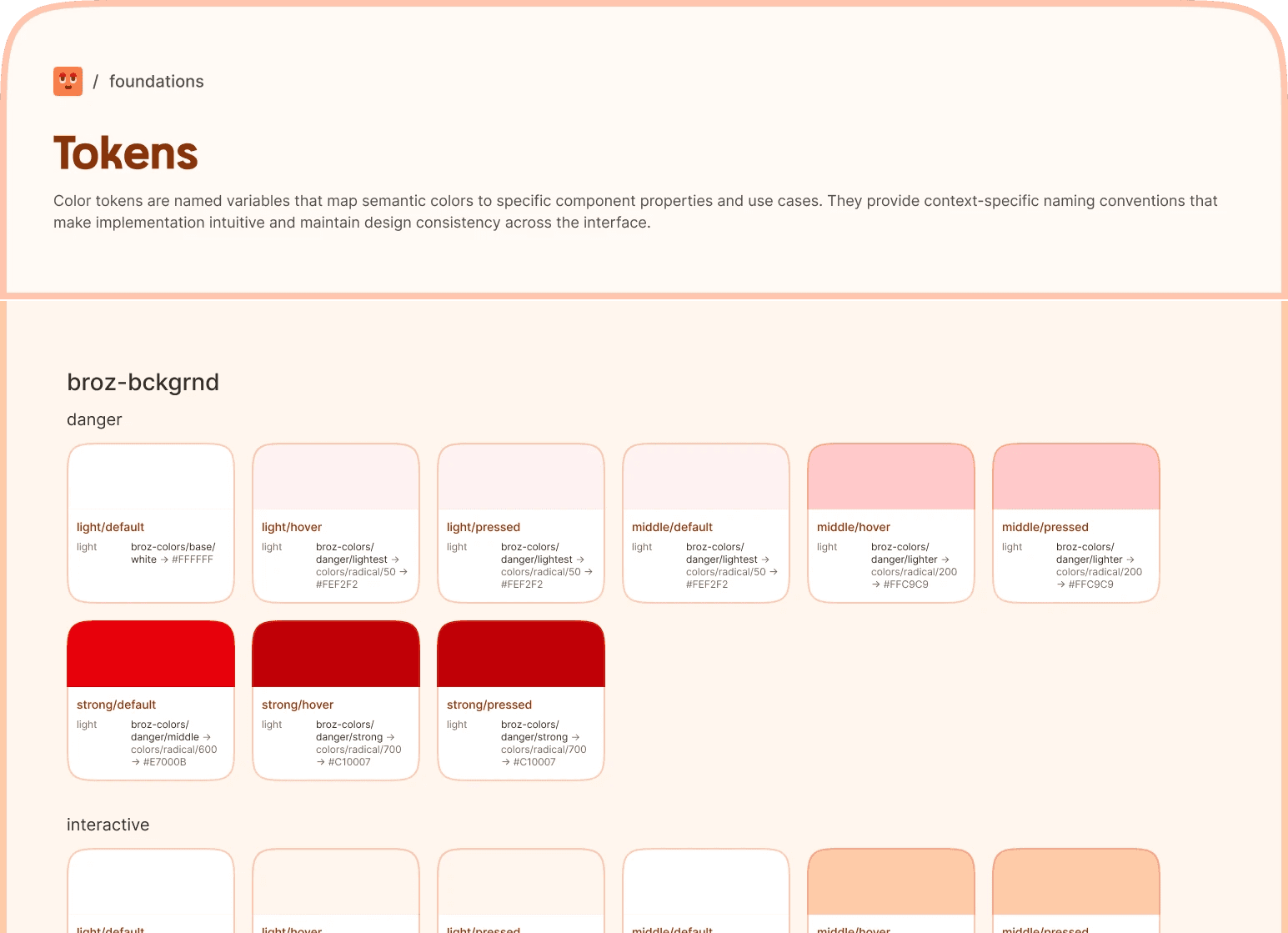
The color system is built in three layers: primitives (the raw palette), semantics (meaning based assignments), and component tokens (context specific usage with interaction states). This layered architecture ensures that changes propagate cleanly. If a brand color shifts, only the primitive needs updating and everything downstream follows.
Usage rules
Always use component tokens. Never reference primitives or semantics directly in component code. If a token does not exist for your use case, create one rather than hardcoding a primitive.
Signal colors are reserved. Green (success), red (danger), and yellow (warning) are never used decoratively. They carry meaning. Using them for anything other than feedback will erode user trust.
Contrast compliance. Every text/background pairing in the system meets WCAG 2.1 AA minimum contrast ratio of 4.5:1. When creating new pairings, verify contrast before shipping.
The warm undertone is intentional. The neutral palette (Dune) has a slight brown warmth that harmonizes with the brand orange. Do not replace it with a pure gray like Tailwind's Zinc or Slate. The warmth is a brand differentiator.
Typography
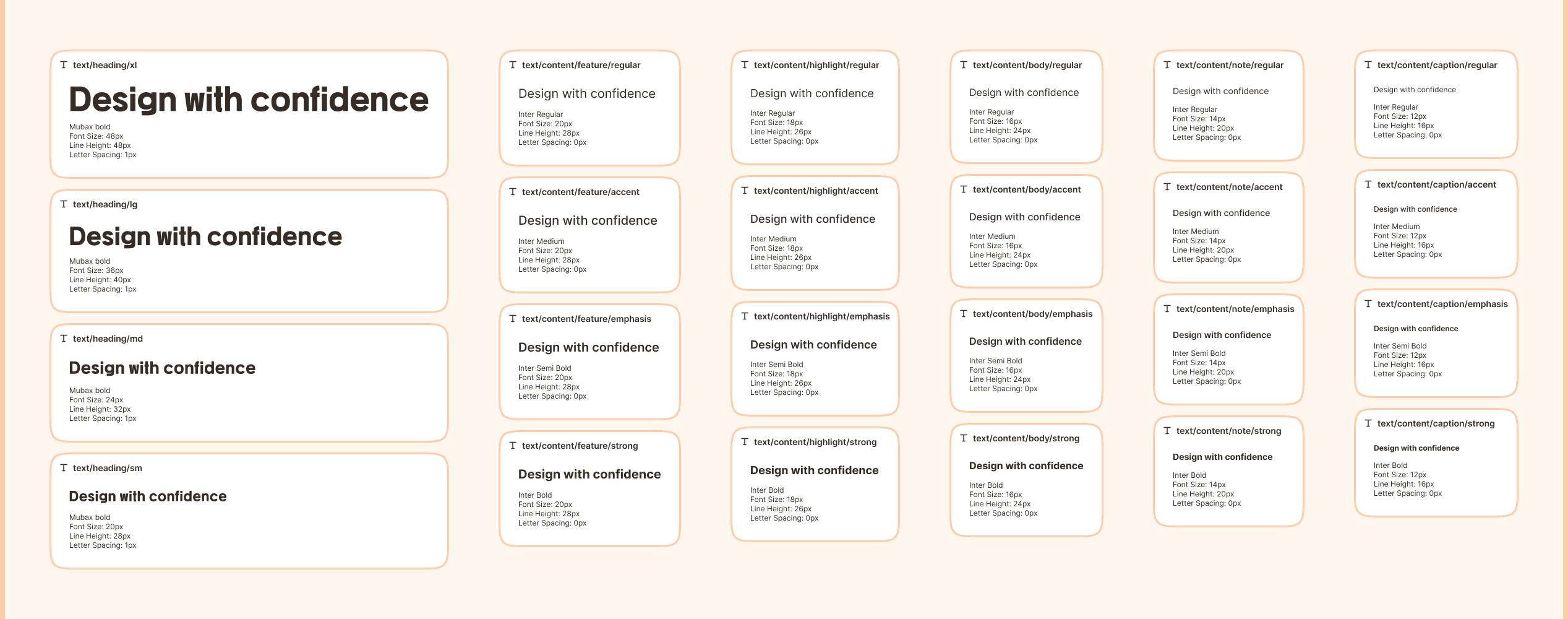
Typography is the backbone of visual hierarchy in Muba. The type system is designed for speed and clarity. Users need to read weights, reps, and exercise names at a glance between sets, often on a small screen under bright gym lighting. Every style in the scale has a defined purpose and is referenced as a named token with fixed size, weight, line height, and letter spacing. No ad hoc sizing allowed.
The system uses two font families: a distinctive display font for headings and a highly legible workhorse for all content. This pairing gives Muba a recognizable personality on headings while keeping body text fast to read at any size.
Icons
Icons in Muba provide visual shortcuts that speed up comprehension and reduce reliance on text. They appear in buttons, navigation, badges, inputs, status indicators, and across the entire interface. The icon system is built on the Phosphor Icons library (Bold weight) as the core set, extended with custom icons and specialized sets for flags, payments, feedback, and achievement grades.
Every icon in the system uses a consistent bold weight and rounded style that matches the friendly, approachable personality of the Muba brand. The bold weight also ensures icons remain legible at small sizes and on bright, glare heavy gym screens.

Token Structure
Design tokens are the single source of truth that bridges Figma and code. They store every visual decision (colors, spacing, typography, radius, shadows, borders, opacity) as named, reusable variables. When a token changes, every component that references it updates automatically.
The Muba token architecture uses a three layer system distributed across four JSON files: primitives define raw values, semantics assign meaning, and global/component tokens provide the final context specific references used in code. This page documents the full structure using the actual token files shipped with the design system.
Layer 1: Primitives
Raw values with no semantic meaning. Organized by type. These are never used directly in components.
Color primitives
8 named palettes, each with a numeric scale (50 to 950). See the Colors foundation page for the full hex tables.
Layer 2: Semantics
Semantics assign meaning to primitives. They are split into two domains: colors and typography.
Semantic colors
8 semantic groups, each with a 7 step intensity scale: strongest, stronger, strong, middle, light, lighter, lightest.
Layer 3: Tokens
Global tokens combine semantic references with layout context. They are the tokens consumed by components for spacing, sizing, radius, borders, shadows, opacity, and typography.
Color tokens combine a semantic color with a UI context and an interaction state. They are the only color tokens components should reference.
Naming pattern
broz-{context}/{semantic-group}/{intensity}/{state}
Rules
Components reference only the final layer. Layout values come from responsive/layout/* and font/* tokens. Colors come from broz-bg/*, broz-borders/*, broz-content/*, and broz-icons/* tokens. Never reference primitives or semantics directly.
Primitives are raw materials. They exist to feed the semantic layer. If you need a new color, add a primitive step, then create a semantic mapping, then create a component token.
Semantics carry meaning. Swapping which primitives a semantic group references is how theming (and future dark mode) works. The entire component layer stays untouched.
The token naming is the API. Developers use the token names as CSS custom properties or design token variables. Changing a token name is a breaking change. Changing a token value is not.